
The status update call is one of the most expensive habits in modern business. On the surface it looks harmless: thirty minutes, a handful of people, a quick round of updates. But multiply that by three departments, twice a week, across a team that spans four countries, and you have burned a significant portion of your most senior people’s working hours on information that could have been visible at all times. The real issue is not the meeting itself, but the system that makes the meeting feel necessary. When project data, decisions, and progress all live in separate apps that don’t talk to each other, the only way to get aligned is to call a meeting. The fix is a set of project management tools that keep information continuously accessible, so your team stays in sync without anyone needing to schedule a call to prove it.
- Keeping departmental knowledge current with Lark Wiki
- Replacing the project tracker meeting with Lark Base
- Removing the approval bottleneck with Lark Approval
- Bringing external communication into the same loop with Lark Mail
- Keeping strategic direction visible with Lark OKR
- Replacing the deck-share meeting with Lark Slides
- Bonus: Why adding more tools makes the problem worse
- Conclusion
Keeping departmental knowledge current with Lark Wiki
When a team grows across locations, institutional knowledge becomes one of the first casualties. Processes that were once passed on by sitting next to someone now need to be written down, kept current, and surfaced reliably. Lark Wiki gives distributed teams a structured home for everything the organization knows, organized so that the right people can find the right information without asking.
- Structured hierarchy with “Rich Content.” Wiki spaces can house documents, spreadsheets, databases, and mindmaps under a single organized structure. A regional manager in a different time zone can find the latest process guidelines, campaign briefs, or technical runbooks in one place rather than hunting across four different drives and two email chains.
- “Permission Settings” for controlled visibility. Teams can set view, edit, copy, and export permissions at both the user and department level. Sensitive materials stay protected while shared resources remain accessible, removing the need for a gatekeeper to manually forward information to whoever asks.
- Full-text search across the entire knowledge base. Lark Wiki’s “Advanced Search” lets team members apply powerful filters to locate any document, policy, or reference file in seconds. There is no dependency on remembering which folder something was saved to or which colleague originally created it.
Replacing the project tracker meeting with Lark Base
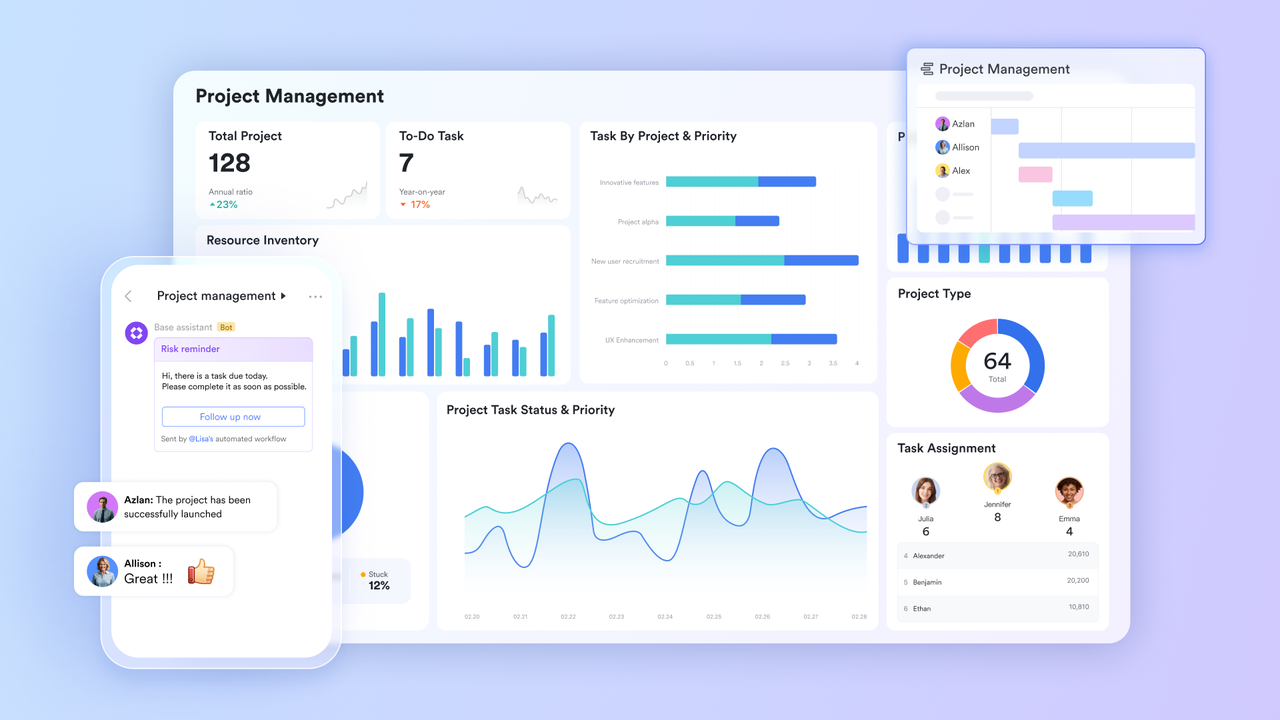
The weekly project tracker meeting typically exists because the tracker itself is out of date the moment it is saved. By the time it gets emailed to seven people, three tasks have already changed status. Lark Base keeps every project’s data live and pulls everyone onto the same view, removing the need for a dedicated call just to report what has already happened.
- Gallery and grid views on live data. Teams can toggle between a gallery view for visual project tracking and a grid view for detail-level management, all pulling from the same underlying records. There is no need to maintain separate versions of the same project in different formats for different audiences.
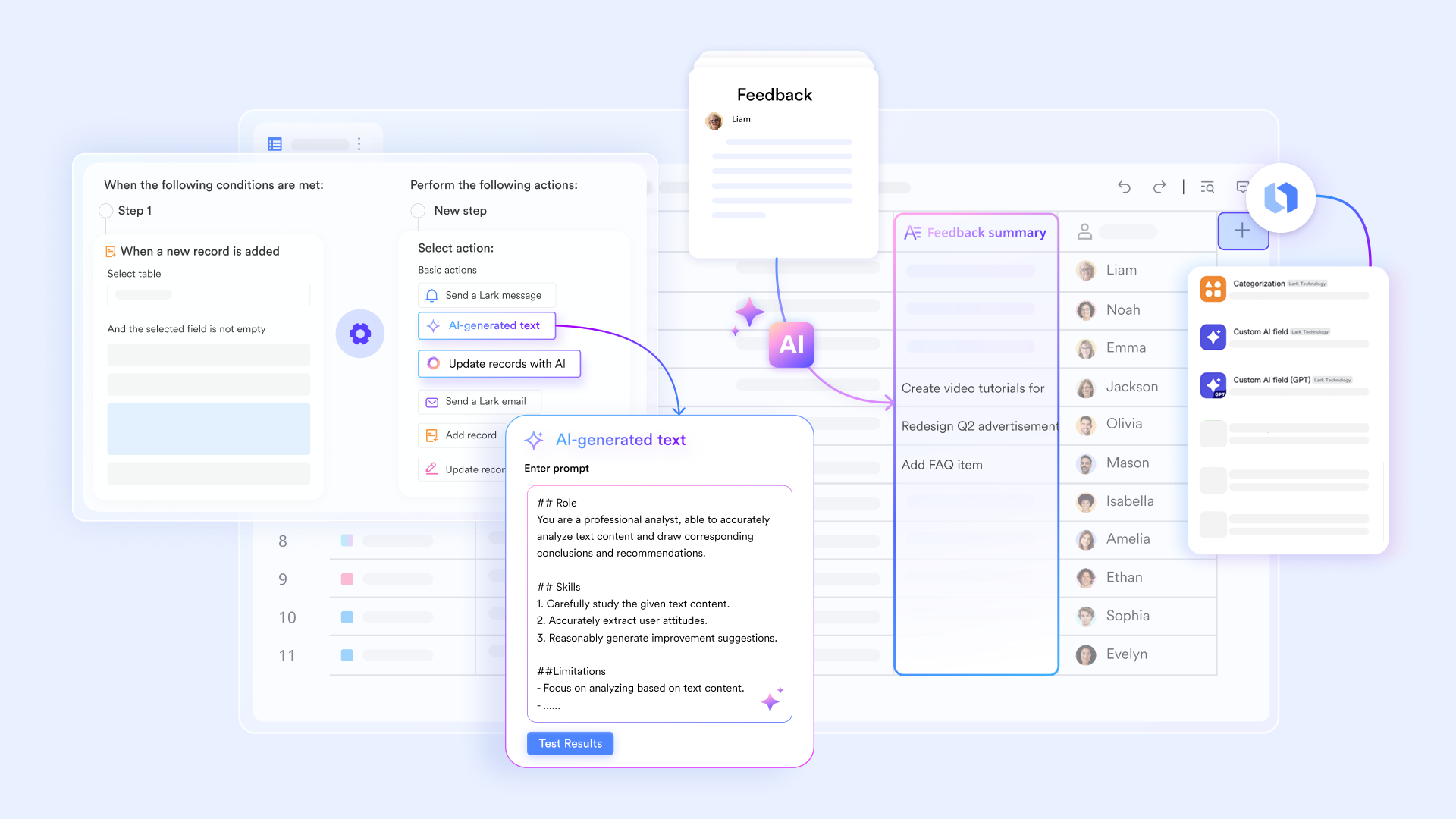
- Formula fields for calculated progress. Teams can build formula fields that automatically calculate percentage completion, budget variance, or days remaining based on existing record data. Leaders get a live numerical view of progress without anyone having to manually tally and report it.
- Shared dashboards for cross-functional visibility. Lark Base dashboards let multiple departments view the same real-time charts and summaries simultaneously. A product team and a marketing team can watch launch readiness update in real time rather than waiting for a biweekly briefing to share the numbers.
Removing the approval bottleneck with Lark Approval
Approval delays are among the most common reasons distributed teams fall out of sync. One decision waits on one person, who is two time zones away and has not yet seen the request. That single delay can stall three other teams waiting on the outcome. Lark Approval is built to keep decisions moving regardless of where approvers are sitting or what their schedule looks like.
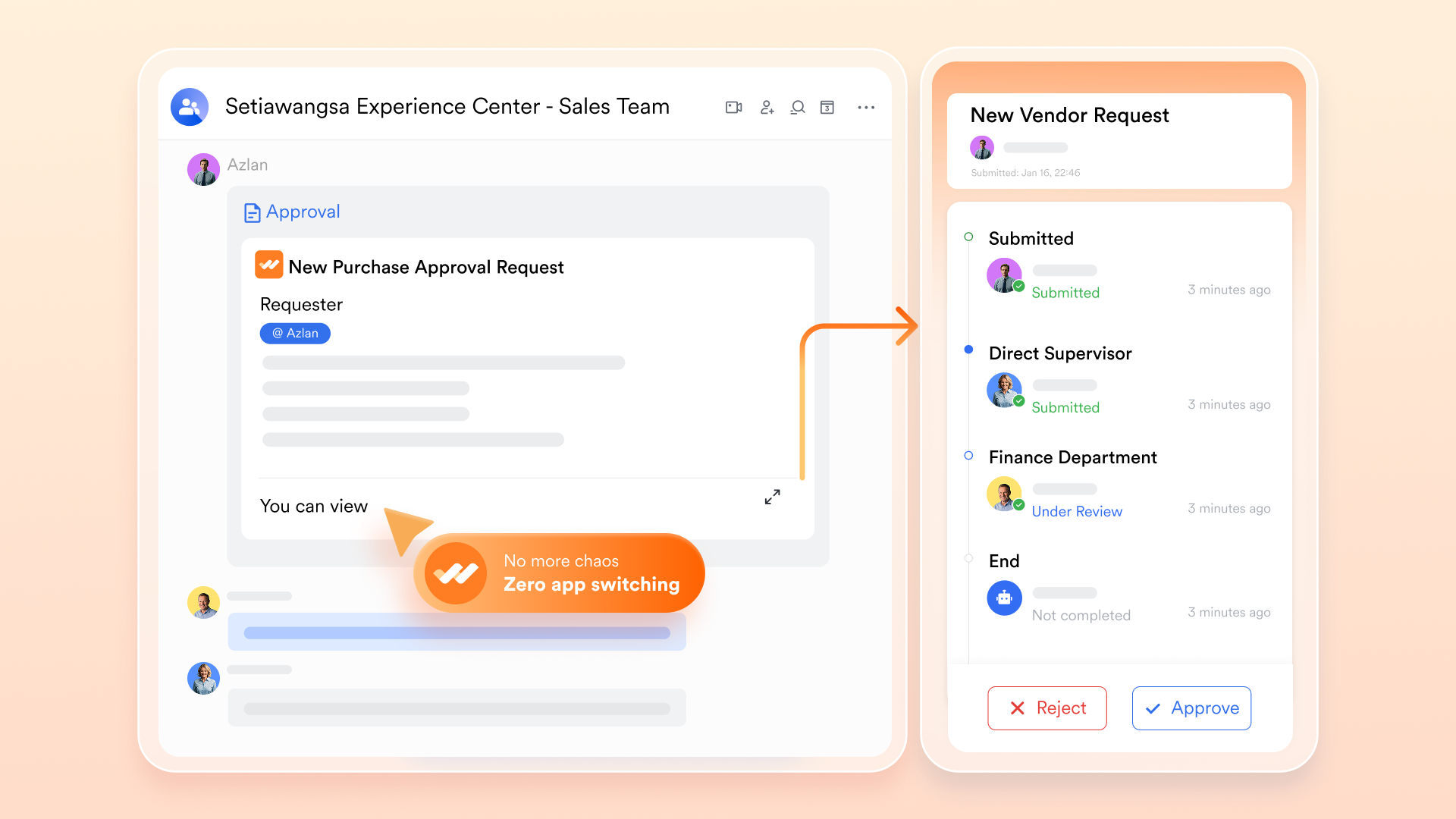
- “Branch Conditions” for smart routing. Approval workflows can be configured so that requests above a certain value, from a certain department, or flagged with a specific tag are automatically routed to a different approver than standard requests. The right people review the right requests without anyone needing to manually redirect them.
- “Approval Notifications” delivered to the right channel. When a request is submitted or reaches a new stage, the relevant approver receives a notification wherever they are working, whether in Messenger, on mobile, or on desktop. Requests do not quietly sit in a queue waiting to be discovered.
- Visibility into request status for all parties. Submitters can track exactly where their request stands in real time, removing the need to follow up verbally or send a chasing message. Transparency at every stage eliminates the friction that usually turns into a check-in call.
Bringing external communication into the same loop with Lark Mail
One of the most common sources of misalignment in distributed teams is the gap between internal chat and external email. A client sends a critical update, it lands in one person’s inbox, and the rest of the team only finds out about it in the next standup. Lark Mail closes that gap by making email a connected part of the same workspace where all other work happens.
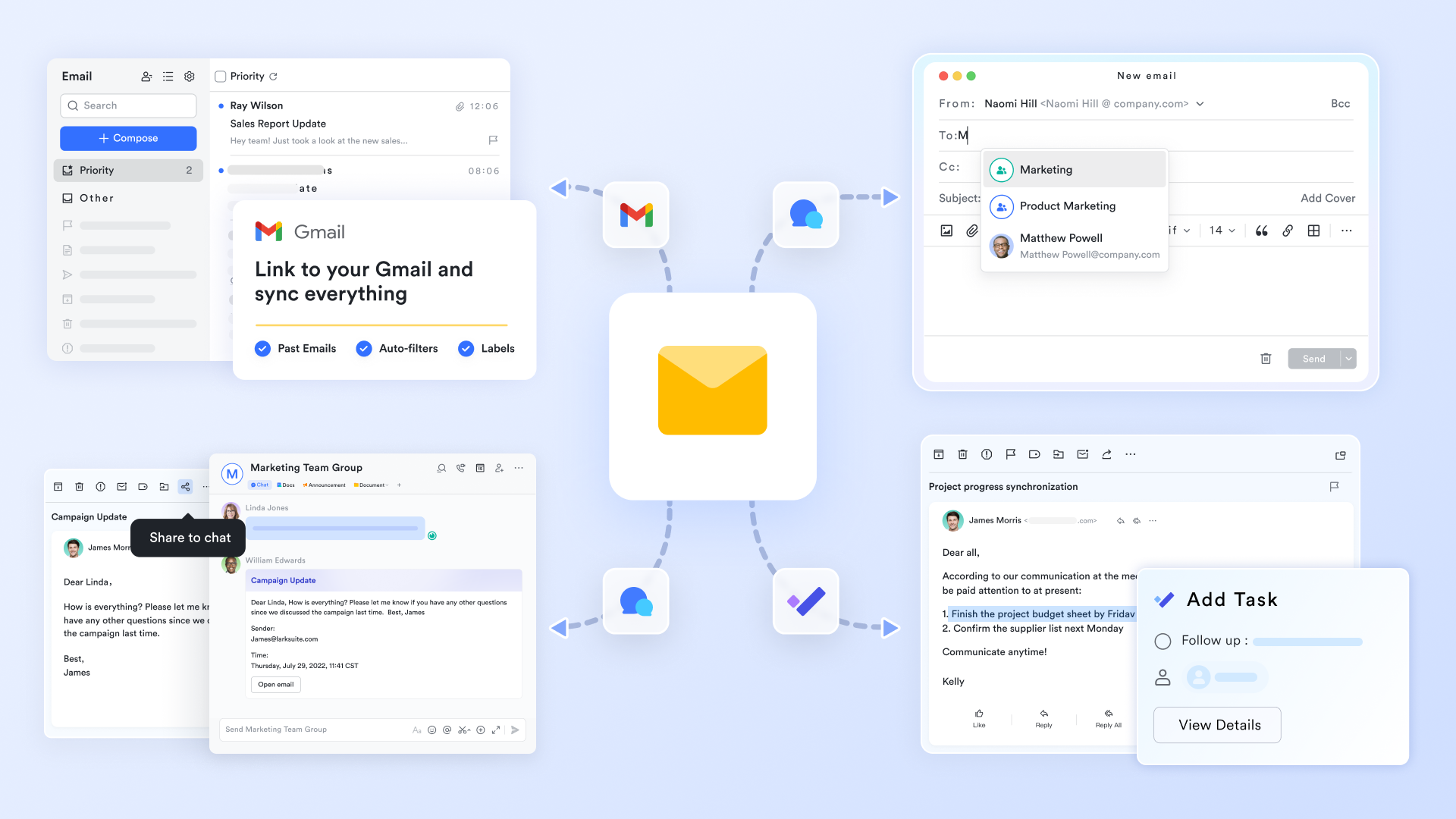
- “Email Share” to bring external threads into team chat. Any external email can be shared directly into a Lark Messenger group for immediate team discussion without copying and pasting content or forwarding the thread. The client’s original message and the team’s response stay linked in the same conversation.
- Unified inbox for mail, tasks, and documents. Lark Mail sits alongside the rest of the workspace, allowing team members to move from an email to a related document or Base record without switching tabs or losing context. Everything stays connected to the message they are working on, reducing the need to jump between tools.
- Smart scheduling directly from the inbox. A team member can initiate a meeting directly from an email thread, with Lark Calendar referencing participants’ availability to suggest suitable time slots. It surfaces real-time availability, so teams can quickly choose a time without lengthy back-and-forth scheduling.
Keeping strategic direction visible with Lark OKR
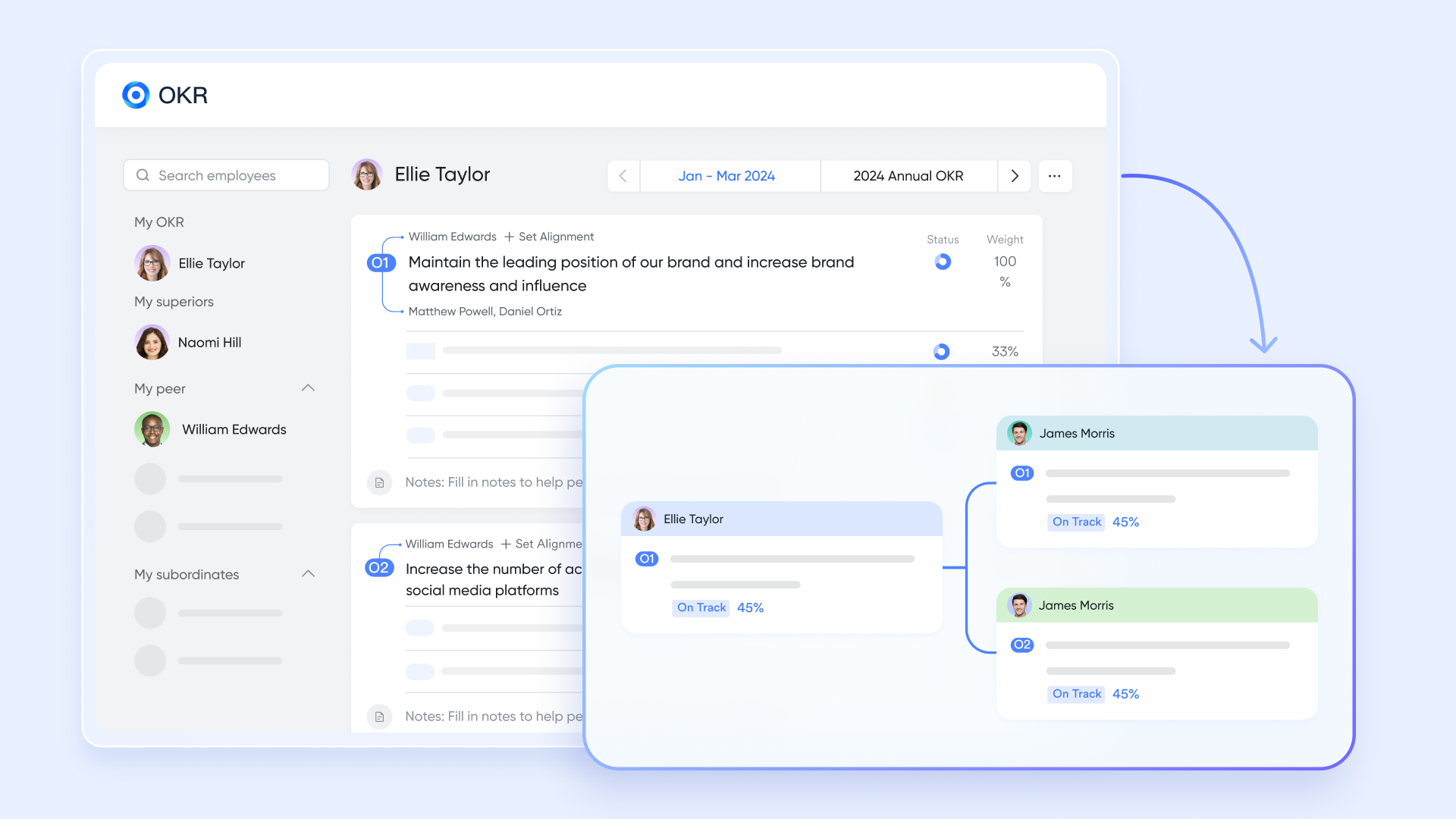
In distributed teams, individual contributors often have a clear view of their own tasks but a blurry view of how those tasks connect to the broader strategy. That disconnect is what drives the check-in call. When people are unsure whether what they are working on still aligns with the current priority, they ask. Lark OKR removes that uncertainty by keeping the organizational strategy permanently visible to everyone.
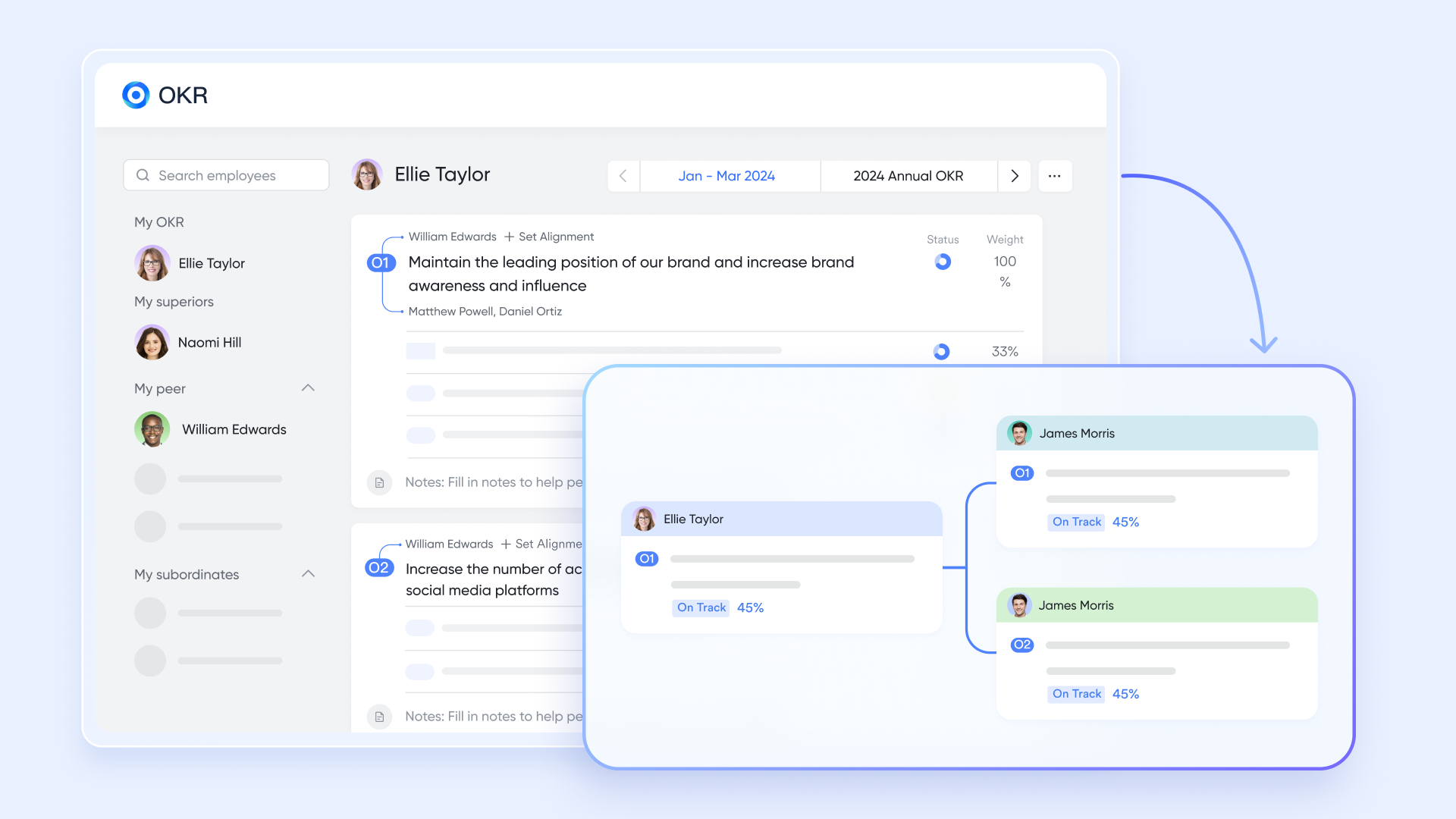
- Cross-team objective transparency. Every department‘s objectives and key results are visible across the organization based on access settings. A designer in Singapore can see that the product team in Berlin is behind on a key result and proactively flag a dependency, without needing a meeting to surface the information.
- Real-time key result updates linked to Base records. Key results can be connected directly to data in Lark Base, so that when a field updates in the database, the relevant key result reflects the change automatically. Progress becomes self-reporting rather than something that has to be verbally presented in a call.
- Individual alignment to team objectives. Every team member can see how their personal work maps to the department’s objectives and the company’s broader goals. That visibility builds self-direction and reduces the frequency of “just checking if this is still the priority” conversations.
Replacing the deck-share meeting with Lark Slides
A significant portion of distributed team calls exist because one person has built a presentation and the only way to share it is to schedule time for everyone to watch them present it. Lark Slides gives teams a way to share visual updates that can be reviewed on each person’s own schedule, without losing the clarity that a well-structured presentation provides.
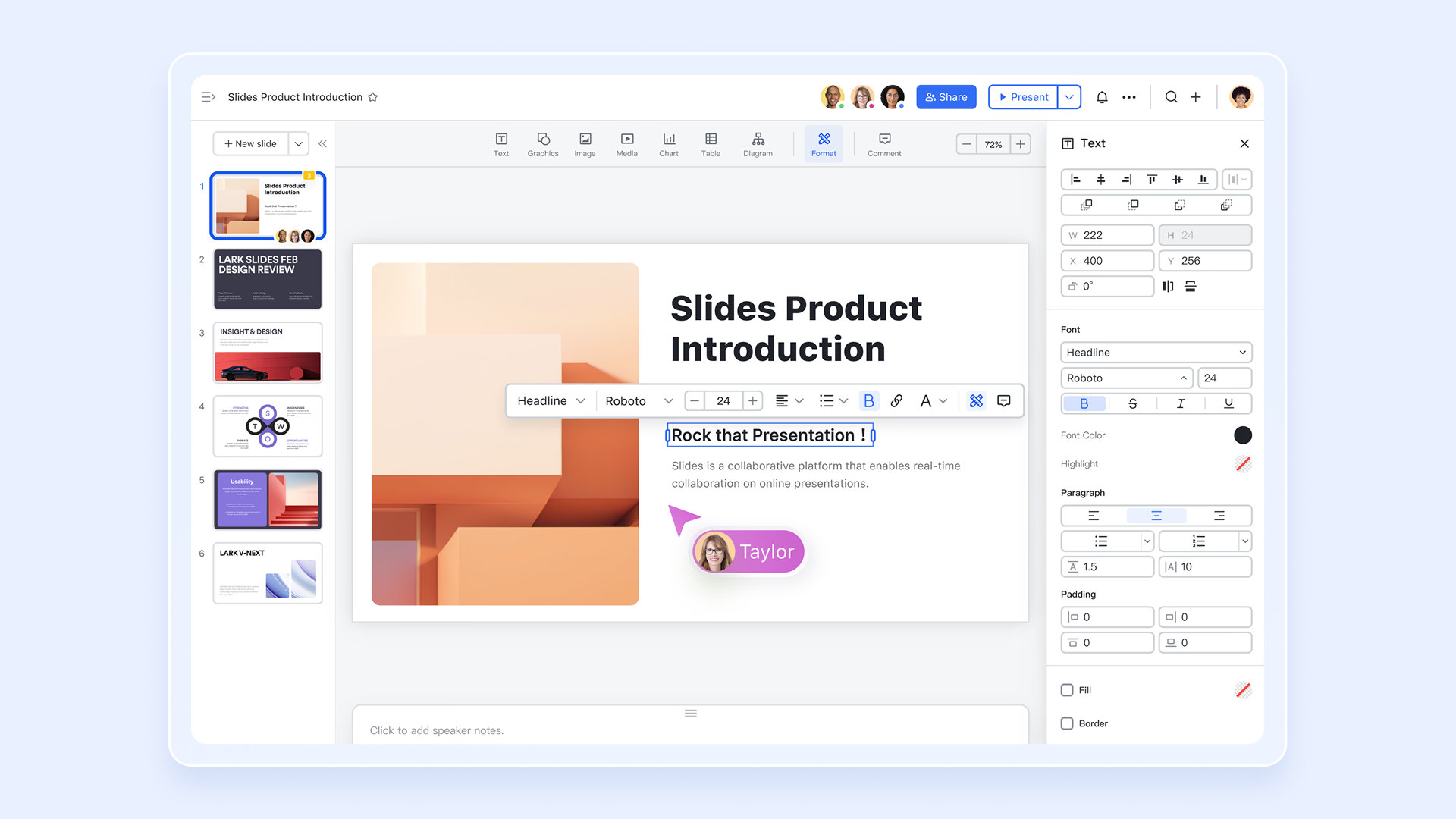
- Real-time co-editing with in-slide comments. Multiple team members can build and refine a Slides presentation simultaneously, leaving comments directly on specific slides to flag concerns or request changes. The review cycle that usually requires a meeting becomes a document conversation that happens in parallel workstreams.
- Linked charts from Lark Sheets. Data visualizations in a Lark Slides presentation can be linked directly to a Lark Sheets source, so charts update automatically as the underlying numbers change. There is no need to rebuild slides before every presentation to reflect the latest figures.
- Live link for self-serve viewing on any device. A finished presentation can be shared via a live link that anyone can open and review on their own schedule, on any device, without downloading a file or attending a scheduled session. The update reaches the team when the team is ready for it, not when a calendar block forces everyone to stop what they are doing.
Bonus: Why adding more tools makes the problem worse
When teams first feel the pain of misalignment, the instinct is to solve it by adding a tool. Leaders look at Google Workspace pricing to evaluate email and document costs, then separately evaluate Asana for task tracking, Miro for visual collaboration, and Guru for a knowledge base. Each tool addresses one symptom but creates a new one: a new place where information can get stranded, a new notification stream that fragments attention, and a new context switch that slows the team down.
The alignment problem is not solved by giving people more places to check. It is solved by reducing the number of places information can hide. Lark puts the knowledge base, the project database, the approval workflow, the email client, the goal framework, and the presentation tool in a single environment. When team members only have one place to look, the information they need is always findable, and the meeting that used to exist just to surface it becomes unnecessary.
Conclusion
Distributed teams that stay aligned without a constant stream of status calls share one common trait: their information is always current and always accessible. They have built a workspace where project states, decisions, and strategic priorities are visible by default, not shared on request. Moving toward a connected set of productivity tools that keeps data live and context intact is what makes that possible. When every team member can answer their own questions by looking at the same shared workspace, the status call stops being a necessity and starts being a choice.